

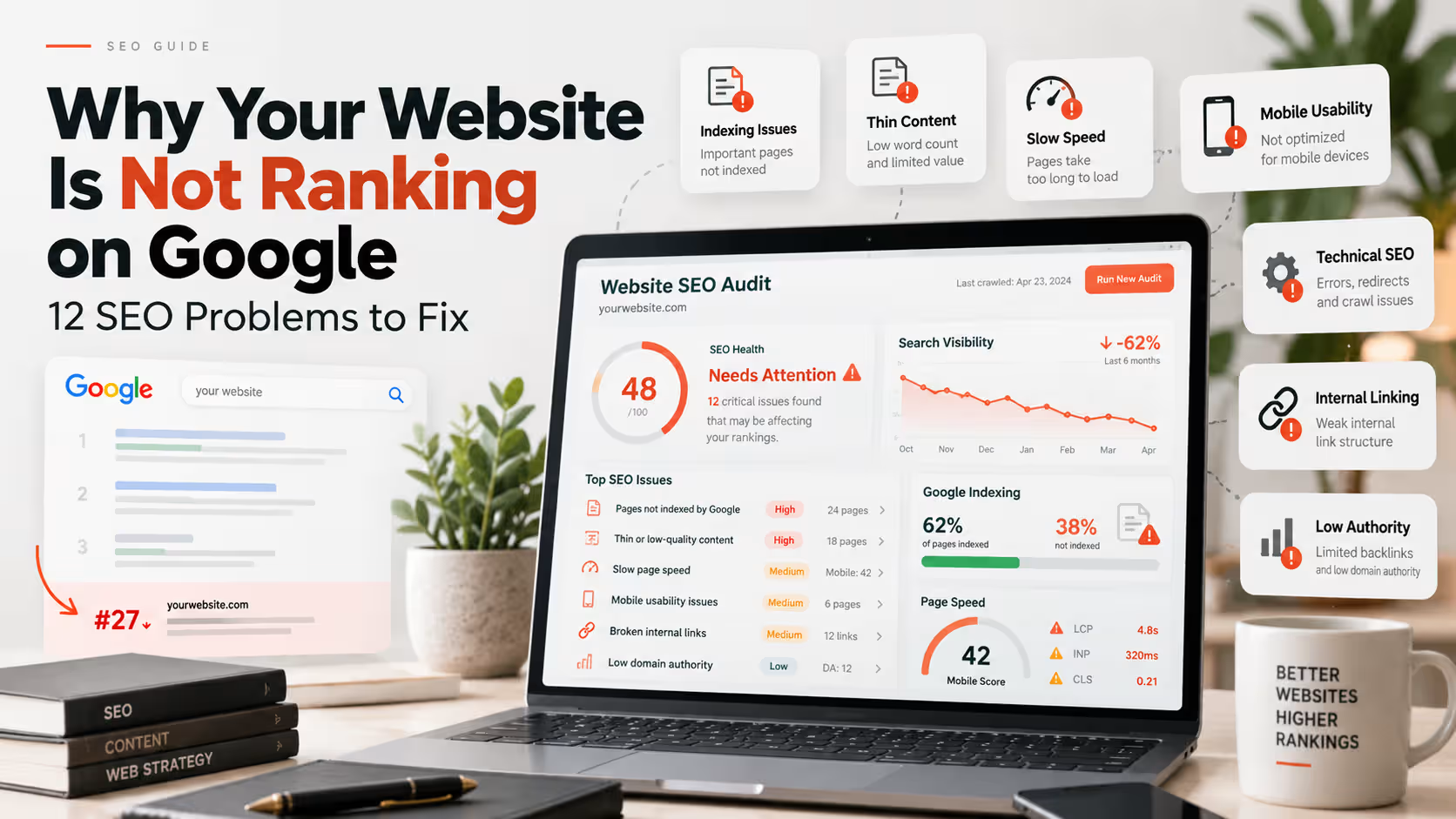
Why Your Website Is Not Ranking on Google: 12 Common SEO Problems to Fix
A website can look professional and still struggle in search results. Indexing problems, weak content, technical errors, poor performance and unclear search intent can all limit visibility.
If you are asking why your website is not ranking on Google, the answer is rarely one single issue.
Search visibility depends on whether Google can discover and understand the page, whether the content matches what people are searching for, how useful the page is compared with alternatives, and whether technical problems are creating unnecessary barriers.
A professional SEO strategy should therefore look at content, technical health, internal linking, search intent and authority together instead of focusing on one metric or plugin score.
Before Fixing Rankings, Confirm Google Can Access the Website
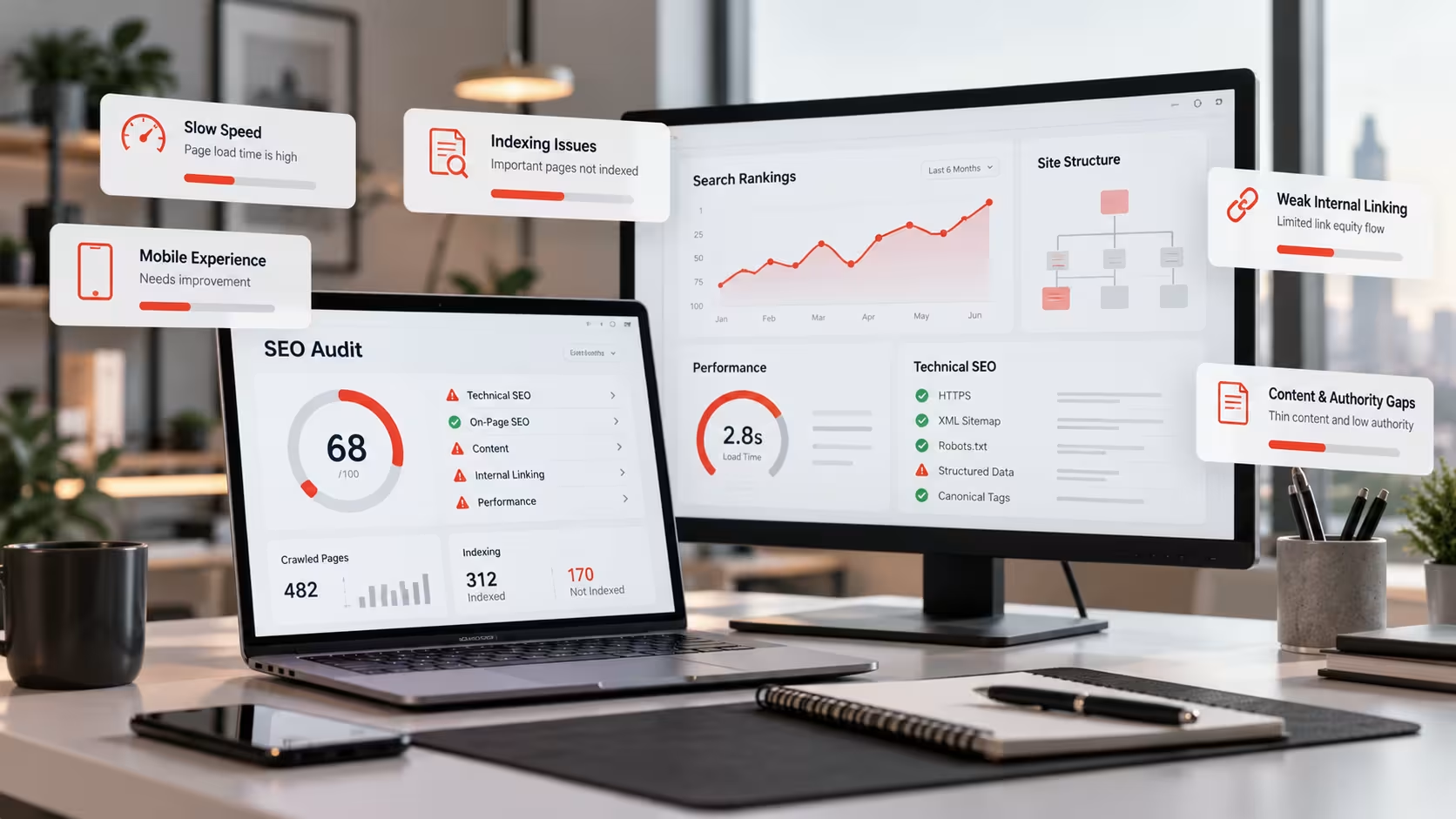
Ranking work becomes much harder if important pages are not crawlable or indexable in the first place. Before rewriting content or building links, confirm that Google can actually discover and process the page.
Google Search Console is useful for checking page indexing, sitemap processing and crawl-related issues. It can also reveal whether a page is excluded, redirected or currently not indexed.
1. Your Website Is Not Properly Indexed
Google Cannot Rank a Page It Has Not Indexed
Important pages should be crawlable, indexable and included in a clean website structure that search engines can understand.
Pages can remain outside the index for several reasons, including accidental noindex tags, crawl restrictions, canonical conflicts, redirects or weak page quality.
Start by inspecting the exact URL in Google Search Console and checking whether indexing is allowed, whether the canonical is correct and whether the page appears in your XML sitemap.
- Check whether the page is set to index.
- Confirm the URL is included in the XML sitemap.
- Review the canonical tag.
- Make sure the page is not unintentionally redirected.
- Check whether robots rules block important content.
2. Your Content Is Weak, Thin or Too Generic
Search Visibility Requires Useful Content
A page should answer the searcher’s question clearly and provide enough useful information to justify appearing in competitive search results.
Thin content is not simply content with a low word count. A page can be long and still offer very little value if it repeats generic statements, avoids specifics or fails to answer the user’s main questions.
Service pages should explain what the service includes, who it is for, how the process works and what considerations matter before a customer makes a decision.
Blog content should go beyond rewriting what every competing page already says. Clear examples, practical explanations and genuinely useful detail create a stronger reason for the page to exist.
3. You Are Targeting the Wrong Search Intent
The Right Keyword With the Wrong Page Can Still Fail
Search intent describes what a person is actually trying to accomplish when they type a query into Google.
Someone searching for “website development cost” usually wants pricing guidance, while someone searching for “website development services” is more likely comparing providers.
If the page format does not match that expectation, keyword optimization alone may not be enough.
Before targeting a query, review what type of pages currently appear and ask whether your page satisfies the same underlying need in a more useful way.
4. Your On-Page SEO Is Weak or Unclear
Each Page Needs a Clear Topic
Titles, headings, page copy, URLs and internal links should help users and search engines understand what the page is about.
A page becomes harder to understand when several unrelated keywords are forced into the same content or multiple pages compete for the same topic.
- Use a descriptive SEO title.
- Write a useful meta description for search result context.
- Use one clear H1.
- Organize sections with useful H2 and H3 headings.
- Use natural topic-related terms without keyword stuffing.
- Add descriptive image alt text where appropriate.
5. Your Website Is Slow or Performs Poorly
Performance Affects the Overall Page Experience
Heavy images, unnecessary scripts and unstable layouts can make a website frustrating to use.
Google recommends paying attention to Core Web Vitals as part of providing a strong user experience. Current Core Web Vitals measure loading performance, responsiveness and visual stability. :chatgpt-content-reference{index=”1″}
Do not chase a perfect performance score purely for SEO. The more important goal is a website that loads and responds well for real users across devices. Google also emphasizes overall page experience rather than one isolated metric. :chatgpt-content-reference{index=”2″}
A Technical SEO audit can help identify performance, crawl and page-experience issues that deserve attention.
6. Mobile Usability Problems Are Hurting the Experience
Your Website Should Work Well on Smaller Screens
Visitors should be able to read content, navigate pages and complete important actions without unnecessary friction.
Common mobile problems include cramped layouts, oversized headings, difficult navigation, small tap targets and forms that are awkward to complete.
Responsive website development should consider mobile layouts from the beginning rather than simply shrinking the desktop design.
7. Technical SEO Problems Are Creating Barriers
Technical Problems Can Undermine Strong Content
Crawl errors, broken redirects, conflicting canonicals and poor site structure can make important pages harder to process correctly.
Technical SEO becomes especially important after a redesign, migration or major URL structure change.
- Review redirects and avoid unnecessary chains.
- Check canonical tags on important pages.
- Keep XML sitemaps clean and current.
- Fix important server errors and broken internal URLs.
- Check structured data where it is genuinely relevant.
- Review crawl and indexing reports in Search Console.
8. Your Internal Linking Is Too Weak
Important Pages Should Not Be Isolated
Internal links help users discover related information and help search engines understand relationships between important topics.
A strong service structure connects parent pages, sub-services and supporting blog content naturally.
For example, an SEO overview can link to focused services such as Technical SEO, Local SEO and eCommerce SEO.
Blog posts should also link back to relevant commercial pages when the connection is genuinely useful to the reader.
9. Duplicate Content or Canonical Problems Are Sending Mixed Signals
Multiple Similar URLs Can Create Unnecessary Confusion
Parameter URLs, duplicate pages, old archive URLs and inconsistent canonicals can make site structure harder to interpret.
Not every duplicate-looking URL is a problem, but important commercial content should usually have one clear preferred URL.
If an old page has a strong, relevant replacement, a direct 301 redirect may be appropriate. Unrelated old URLs should not automatically be redirected to the homepage.
11. Your Local SEO Signals Are Weak
Local Search Requires Clear Geographic Relevance
Businesses serving specific areas should make it easy for search engines and customers to understand where they operate.
Local visibility can depend on your Google Business Profile, business information consistency, reviews, location relevance and the quality of local landing pages.
If local customers are important to your business, professional Local SEO Services and Google Business Profile optimization can help strengthen those signals.
12. Your Website or Page Is Still Too New
SEO Usually Requires Time and Reassessment
Newly published pages may need time to be crawled, indexed, evaluated and compared against competing results.
Requesting indexing can help Google discover an updated page, but it does not guarantee an immediate ranking position.
Instead of repeatedly changing a new page every few hours, give search engines enough time to process it while continuing to improve internal linking, content quality and overall site authority.
Google recommends using Search Console and performance tools to understand indexing and page experience issues. Core Web Vitals currently focus on LCP, INP and CLS, but Google also makes clear that a good overall page experience matters more than chasing one isolated score. :chatgpt-content-reference{index=”3″}
For individual page testing, PageSpeed Insights can help identify performance opportunities, while Search Console is more useful for understanding site-wide indexing and search visibility patterns. :chatgpt-content-reference{index=”4″}
Quick SEO Checklist for a Website That Is Not Ranking
- Confirm important pages are indexed.
- Check sitemap and canonical URLs.
- Match each page to a clear search intent.
- Improve thin or generic content.
- Review SEO titles, headings and page structure.
- Improve mobile usability and website performance.
- Fix important crawl, redirect and server issues.
- Build stronger internal links.
- Reduce duplicate or competing pages.
- Strengthen relevant authority over time.
- Improve local signals where local search matters.
- Give new pages enough time to be evaluated.
Ranking Problems Usually Come From a Combination of Issues
Fixing one title tag or installing another SEO plugin will not solve every ranking problem. Strong search visibility usually comes from useful content, clean technical foundations, clear website structure and consistent improvement over time.
How Long Does It Take to Improve Google Rankings?
There is no fixed timeline because competition, website history, content quality, technical condition and authority vary significantly from one site to another.
Technical fixes can sometimes be processed relatively quickly after recrawling, while competitive keyword improvements may require sustained content, authority and optimization work over a longer period.
The most useful approach is to measure progress through indexing health, impressions, relevant clicks, keyword visibility and business outcomes instead of expecting one guaranteed ranking position.
Final Thoughts
If your website is not ranking on Google, do not immediately assume you need more keywords or more backlinks.
Start by confirming that Google can access and index the page. Then review whether the content matches the search intent, whether technical issues are creating barriers and whether the website gives search engines enough context through structure and internal linking.
A complete SEO strategy should bring technical SEO, content, local visibility, website performance and authority together instead of treating them as separate problems.
Frequently Asked Questions
Why is my website not ranking on Google?
Common reasons include indexing problems, weak content, incorrect search intent, technical SEO issues, poor internal linking, limited authority, performance problems and strong competition.
Why is my website indexed but still not ranking?
Indexing only means Google can include the page in search results. The page still needs to be relevant, useful and competitive enough for the queries you want to target.
Does website speed affect Google rankings?
Page experience and Core Web Vitals matter, but speed is not the only ranking factor. Relevant content and overall usefulness remain critical, so performance should be improved as part of a broader SEO strategy. :chatgpt-content-reference{index=”5″}
How can I get Google to index a new page?
Make sure the page is indexable, internally linked, included in your sitemap where appropriate and technically accessible. You can also inspect the page in Google Search Console and request indexing.
How long does SEO take to show results?
There is no universal timeline. Results depend on competition, website history, technical condition, content quality, authority and how competitive the target searches are.
Is Your Website Struggling to Gain Search Visibility?
AalaWeb combines technical SEO, content structure, website performance and search strategy to help businesses build a stronger foundation for sustainable organic growth.