


How to Improve Your Google Business Profile Ranking in 2026: 12 Local SEO Tips
A well-optimized Google Business Profile can help local customers discover your business in Google Search and Maps, but strong visibility depends on more than simply creating a profile.
If you want to learn how to improve Google Business Profile ranking, start by understanding what Google is trying to do with local search.
Google wants to show nearby businesses that are relevant to the search, reasonably located for the user and well-established enough to be useful choices.
That means effective Google Business Profile optimization should combine accurate profile information, reviews, photos, local website signals and ongoing profile management rather than relying on one shortcut.
How Google Determines Local Rankings
Google’s official guidance explains that local results are mainly influenced by relevance, distance and prominence.
How closely your business information and services match what someone is searching for.
How far the business is from the searcher’s location or the location included in the query.
How well-known and established the business appears based on signals such as reviews, links and information across the web.
You cannot directly control where every customer searches from, so distance is not something you can optimize away. The practical goal is to strengthen relevance and prominence while keeping your business information complete and accurate.
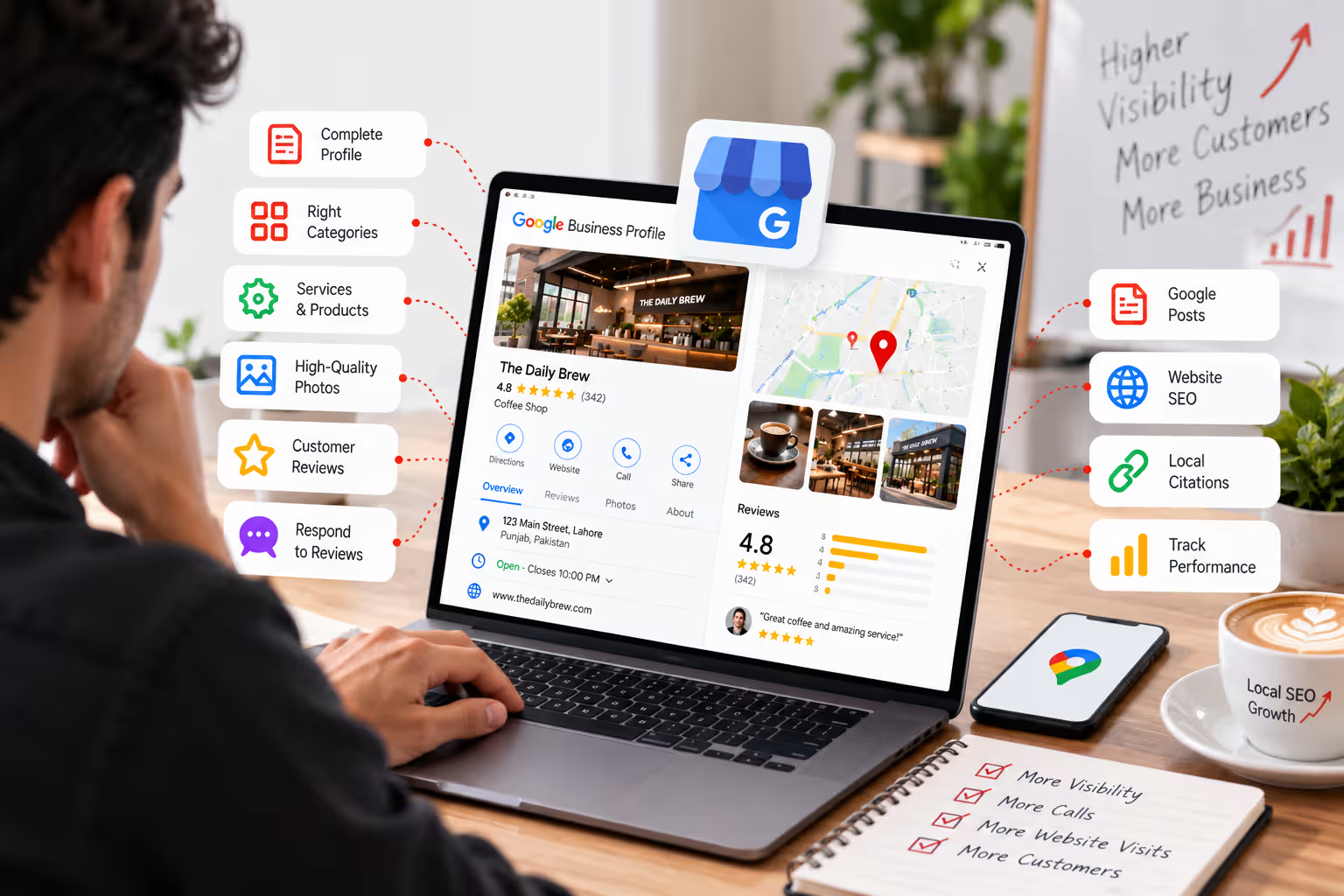
1. Complete Every Important Profile Field
Give Google and Customers Complete Information
An incomplete profile makes it harder for customers and search engines to understand what your business offers and when it is available.
Review your business name, address, phone number, website, hours, description, service areas and other relevant attributes.
Keep the information factual and consistent with how the business operates in the real world.
- Use the correct business name.
- Add accurate opening hours.
- Keep your phone number current.
- Add your correct website URL.
- Review service areas where applicable.
- Complete relevant business attributes.
2. Choose the Right Primary Category
Your Primary Category Helps Define the Business
Select the category that most accurately represents the core service or business activity.
Do not choose a category simply because it sounds broader or more competitive. The strongest category is the one that accurately describes what the business primarily does.
A relevant primary category can help Google better understand when your business should be considered for local searches.
3. Add Relevant Secondary Categories
Use Secondary Categories to Represent Genuine Additional Services
Secondary categories can provide extra context when a business legitimately operates across several related service areas.
Avoid adding unrelated categories just to appear for more searches. Relevance is more useful than filling every available category slot.
The goal is to describe the actual business accurately rather than create artificial keyword coverage.
4. Keep Your NAP Information Consistent
Name, Address and Phone Information Should Agree Across the Web
Customers should not see conflicting business details depending on where they find your company online.
Review your website, major directories, social profiles and other business listings to make sure your core information is accurate.
Small formatting differences are not automatically a disaster, but outdated addresses, old phone numbers or contradictory business information should be corrected.
5. Add Relevant Services and Products
Help Customers Understand What You Actually Offer
Add services or products that accurately represent your current business offerings.
Service information can improve clarity for customers who discover your profile before visiting the website.
Keep descriptions useful and natural. Avoid stuffing location names or repetitive keywords into every field.
Your website should support those same services with clear dedicated pages through a broader Local SEO strategy.
6. Upload High-Quality Photos Regularly
Photos Help Customers Understand the Business Before They Visit
Genuine images can show your location, team, products, work and overall customer experience.
Use clear images that accurately represent the business rather than relying entirely on generic graphics.
Depending on the business, useful photo categories may include the exterior, interior, team, products, completed work and customer-facing areas.
Keep older images if they remain accurate, but add updated visuals when the business changes.
7. Get More Genuine Customer Reviews
Reviews Support Trust and Local Prominence
Real customer feedback gives potential customers more context and can contribute to how established your business appears.
Ask satisfied customers for reviews through a simple, legitimate process. Do not buy reviews or create fake customer accounts.
Review count matters less if the feedback looks manipulated or disconnected from real customer experiences.
Focus on building reviews steadily through genuine transactions and customer relationships.
8. Respond to Reviews Professionally
Show Customers That Their Feedback Is Taken Seriously
Responses can reinforce professionalism and demonstrate that the business actively manages its customer experience.
Thank customers for positive feedback without using the same generic response every time.
When responding to criticism, stay factual and professional. Avoid turning the review section into a public argument.
The response is visible not only to the reviewer but also to future customers evaluating the business.
9. Publish Useful Google Posts
Use Your Profile to Share Current Business Information
Posts can highlight updates, services, offers, events or useful business announcements.
Google Posts should support customers rather than exist only because you believe every post will directly increase rankings.
Useful updates can make a profile feel more current and give customers another reason to engage with the business.
10. Improve the Local SEO Signals on Your Website
Your Business Profile Does Not Exist in Isolation
Google can use information from your official website and other public sources to understand the business.
Make sure the website clearly explains what you do, where you operate and how customers can contact you.
- Create useful service pages.
- Include accurate contact information.
- Use location information naturally where relevant.
- Improve mobile usability and loading performance.
- Link related local content internally.
- Keep important pages indexable.
Professional SEO Services can support the broader website structure, while Technical SEO helps address indexing, crawling and website performance issues.
11. Build Relevant Local Citations and Business Mentions
Consistent Business Information Across Relevant Platforms Builds Context
Citations are online references to your business details on directories, industry websites and other relevant sources.
Focus on platforms that are legitimate and relevant to your industry or market rather than submitting the business to hundreds of low-quality directories.
Quality and accuracy matter more than creating as many listings as possible.
12. Track Performance and Keep Optimizing
Local SEO Is an Ongoing Process
Business details, competitors, customer behavior and search visibility can all change over time.
Review profile interactions, calls, website visits, searches, reviews and other available performance data.
If one service is getting strong visibility while another is not, compare the profile, website content and competitive landscape instead of making random changes.
Ongoing Google Business Profile Services can help businesses maintain accurate profile information and coordinate it with broader local search efforts.
What Should You Optimize First?
If the profile needs significant work, do not try to change everything randomly. Fix the foundation first and then build stronger local signals over time.
Fix business information, hours, contact details, categories and profile completeness.
Improve genuine reviews, photos, responses and useful profile activity.
Strengthen website relevance, citations, useful content and overall online prominence.
There Is No Guaranteed Google Maps Ranking Shortcut
Google does not offer a way to pay for a better organic local ranking. Strong visibility comes from improving relevance, accurate business information, genuine customer signals and the overall prominence of the business.
Why Your Google Maps Position Can Change by Location
Local search rankings are not fixed everywhere.
A business can appear strongly for someone searching nearby and much lower for another customer searching from a different area because distance is part of local ranking.
This is why checking one keyword from one device does not give you a complete picture of your local visibility.
Focus on improving the signals you can control through your profile, website, reviews and overall local presence rather than trying to force the same ranking across an entire city.
Google Business Profile Optimization Checklist
- Complete all important profile information.
- Select the most accurate primary category.
- Add genuinely relevant secondary categories.
- Keep business information consistent.
- Add current services and products where appropriate.
- Upload genuine high-quality photos.
- Ask real customers for reviews.
- Respond to reviews professionally.
- Keep profile updates useful and current.
- Strengthen local signals on your website.
- Build accurate citations on relevant platforms.
- Monitor performance and continue improving.
Final Thoughts
Improving Google Business Profile visibility is not about adding as many keywords as possible or constantly changing settings.
Start with accurate business information, choose categories that genuinely represent what you do, build a steady flow of authentic customer reviews and make sure your website supports the same services and locations.
A complete Local SEO strategy connects your Business Profile, website, customer reputation and local business information so they reinforce each other instead of working separately.
Frequently Asked Questions
How can I rank higher on Google Maps?
Improve the accuracy and completeness of your Google Business Profile, use relevant categories, build genuine reviews, maintain current photos and strengthen local website and business signals. Local rankings also depend on distance, which businesses cannot directly control.
How long does Google Business Profile ranking take?
There is no fixed timeline. Results depend on competition, location, relevance, prominence, profile quality, reviews and the strength of the business’s overall local presence.
Do reviews improve Google Maps rankings?
Google states that review count and positive ratings can contribute to local prominence. Reviews also help customers evaluate the business, but they are only one part of local ranking.
How often should I update my Google Business Profile?
Update the profile whenever business information changes. Photos, reviews, services and useful posts can also be managed regularly so the profile remains accurate and helpful to customers.
Does website SEO affect Google Business Profile rankings?
Website information can contribute to Google’s understanding of a business, and Google’s local ranking guidance notes that prominence can include web signals such as links. Strong website SEO also supports the broader local search presence.
Want Stronger Visibility in Google Search and Maps?
AalaWeb combines Google Business Profile optimization, Local SEO, website improvements and technical SEO to help businesses build a stronger local search presence.